COMPUTER TRICKS

Know more about computers and Optimize it

MOBILE TRICKS

Mobile Tips Tricks and hacking

INTERNET TRICKS

Know the hidden things about internet

MULTIMEDIA

PC GAMES

Download pc games

SOFTWARE

Showing posts with label internet. Show all posts

Wednesday, May 23, 2012

Get 10GB more space in your computer

Today I will learn how to convert your Gmail space into extra HDD space 10GB.

1) Download Gmail drive-->DOWNLOAD

2) Run it;

3) Restart your computer and then go to "My Computer" and there are another disk;

4) Click on it and it asks for an username/password;

5) Place there all your stuff...

You can create 1 disk ,but you can login with 2 different Gmail accounts.That means you can get 30GB if you have 3 gmail accounts. 


Saturday, April 7, 2012

Make Free Phone Calls Around the World With PalTalk


Hello, All! Welcome to another blog on how to make free calls to anywhere around the world. This blog talks about the video conferencing company, PalTalk. With PalTalk, you can make free video calls to anyone around the world.
There are no expensive phone bills to pay, no access numbers to dial, no limit on how long you can talk, and no subscriptions to buy. In fact, you can talk to your friends from AOL, Yahoo, ICQ, and other IM messengers. Just add them to your friends list, when you sign up. It’s that easy!
In addition, you will have access to live, original programming from shows of all kind, 1,000s of chat rooms to talk to people in, and screening rooms where you can watch the latest clips from the top TV and entertainment shows, a super IM that allow you to hold a video call with up to 10 of your IM friends, and you can host your own live, TV show.
You can get all this, with just a simple download. To do this, go to www.paltalk.com, download the software, create a new account, add your IM friends and you’re set!


Thursday, April 5, 2012

Hide your IP address for your privacy online with Hotspot Shield


hss-logo
About Hotspot Shield
  • Secure your web session, data, online shopping, and personal information online with HTTPS encryption.
  • Protect yourself from identity theft online.
  • Hide your IP address for your privacy online.
  • Access all content privately without censorship; bypass firewalls.
  • Protect yourself from snoopers at Wi-Fi hotspots, hotels, airports, corporate offices.
Works on wireless and wired connections alike. Provides Unlimited Bandwidth.
Works on the PC and the Mac, including new operating systems (Windows 7 and Snow Leopard)
Hotspot Shield protects your entire web surfing session; securing your connection at both your home Internet network & Public Internet networks (both wired and wireless). Hotspot Shield protects your identity by ensuring that all web transactions (shopping, filling out forms, downloads) are secured through HTTPS. Hotspot Shield also makes you private online making your identity invisible to third party websites and ISP’s. Unless you choose to sign into a certain site, you will be anonymous for your entire web session with Hotspot Shield. We love the web because of the freedom that it creates to explore, organize, and communicate. Hotspot Shield enables access to all information online, providing freedom to access all web content freely and securely. Secure your entire web session and ensure your privacy online; your passwords, credit card numbers, and all of your data is secured with Hotspot Shield. Standard antivirus software protects your computer, but not your web activities.
That's why AnchorFree is pleased to offer Hotspot Shield. Our application keeps your Internet connection secure, private, and anonymous.


100% Security Through a VPN

Hotspot Shield creates a virtual private network (VPN) between your laptop or iPhone and our Internet gateway. This impenetrable tunnel prevents snoopers, hackers, ISP’s, from viewing your web browsing activities, instant messages, downloads, credit card information or anything else you send over the network. Hotspot Shield security application is free to download, employs the latest VPN technology, and is easy to install and use.
So go ahead - Get behind the Shield - Try Hotspot Shield today!
Hotspot Shield runs on:
  • Windows 7
  • Windows XP
  • Windows 2000
  • Windows Vista
  • Mac OS X (10.5 Leopard)
  • Mac OS X (10.6 Snow Leopard)
  • Mac OS X (10.7 Lion)
By clicking on the download button, you are agreeing to the Hotspot Shield terms of use.
If you decide to uninstall Hotspot Shield at any time, please, follow the usual steps: select "Control Panel" from Start menu, click "Add or Remove Programs", highlight "Hotspot Shield" entry and click "Change/Remove" button.

                                                DOWNLOAD (For Windows)


                   DOWNLOAD (For Mac OS X 2.45)

Sunday, March 25, 2012

How To Post Any Picture On Your Facebook Chat Box


Hi Friends Before Some Days I had Posted cool Facebook Chat Tricks 2012 about how to Insert Facebook Profile and Facebook Pages Picture during the chat session and today i am posting one more cool Facebook Chat Trick about how to post any picture on your facebook chat box or you can also say that how to get any Picture Code For Facebook Chat Box .
Facebook Chat Box How To Post Any Picture On Your Facebook Chat Box


Just Follow Below Given Simple Steps :
Step 1 – First Login to your Facebook Account.
Step 2 – Now Go To This Site and Like our Facebook Page.
Step 3 – Click on the Choose File Button and choose an image from your computer .
Step 4 – Click on the Upload Now button .
Step 5 – Now Click on Show Codes and Paste the Code to Your Facebook Chat Box.
Thats It !
Enjoy Facebook Chatting with Cool Trick. icon smile How To Post Any Picture On Your Facebook Chat Box


Thursday, March 22, 2012

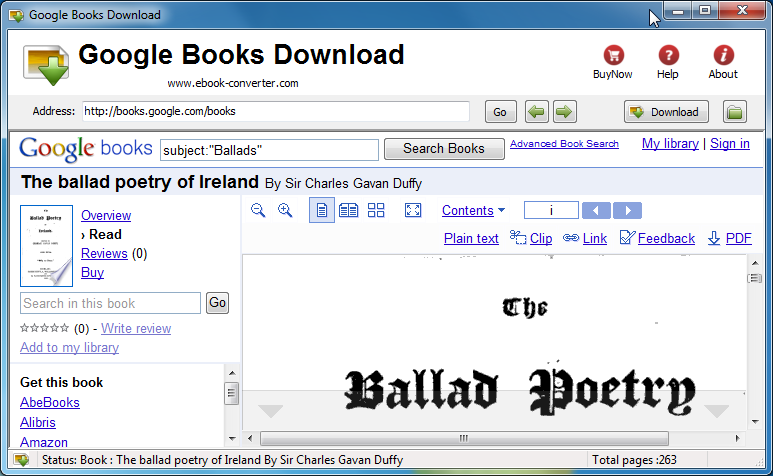
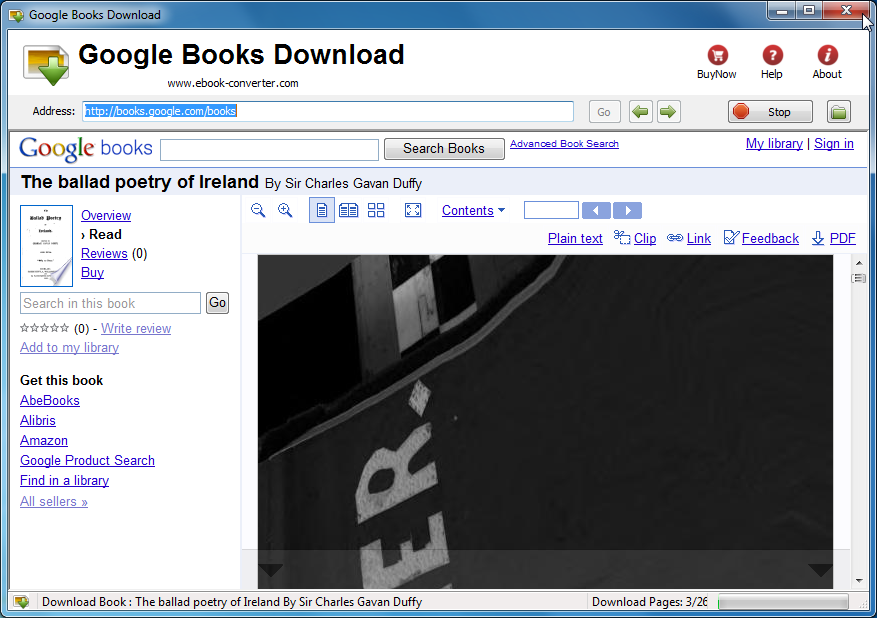
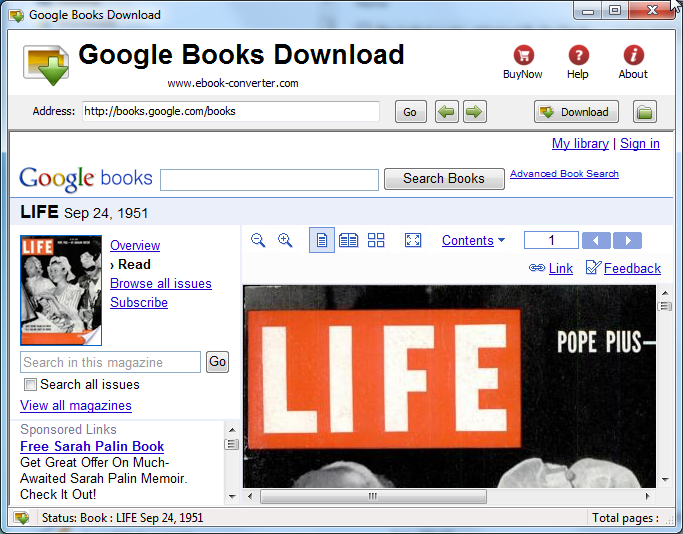
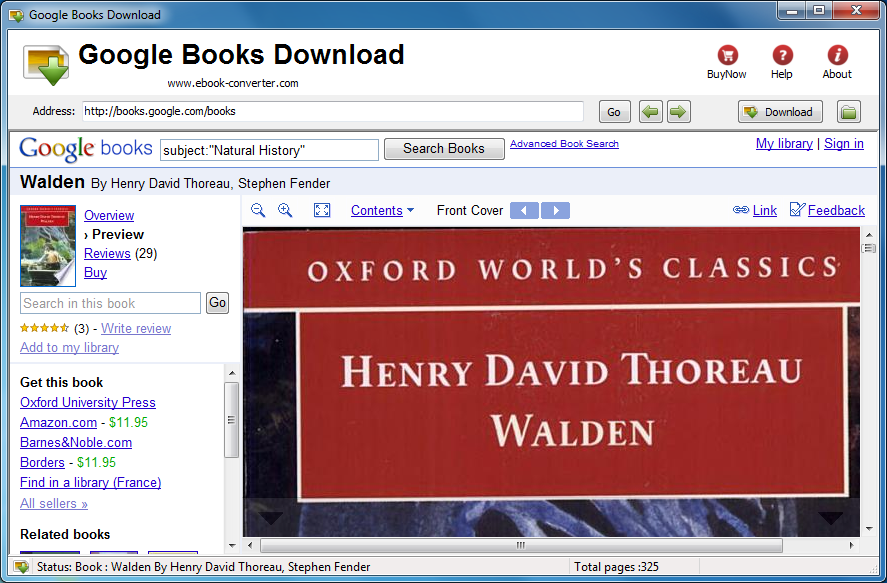
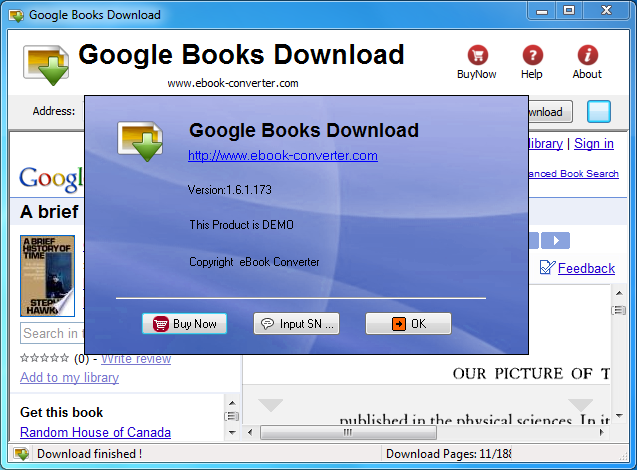
Download Google Books To PDF Format


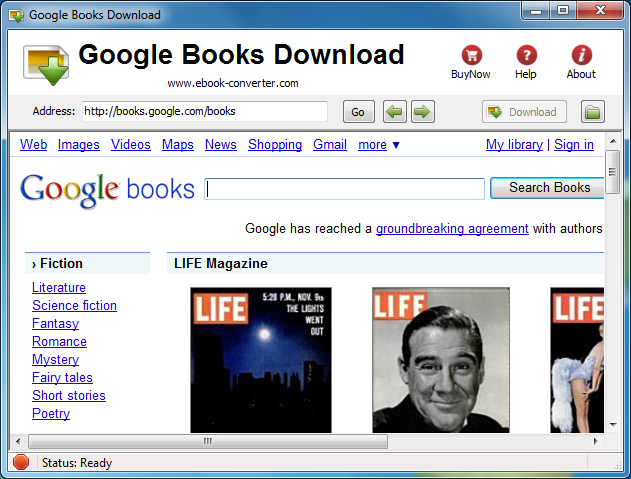
Google books can be viewed online but there is no way to make the contents available offline easily, Google book download is tools to download parts or entire books in pdf format. it is quite easy to use like a browser, one-click to download any book available in “full view” from Google books.

Key Features


  •                            One-click download
  •                                              Manual mode for download copy-protected books.
  •                                              Automatic mode for download public domain books and pdf document.
  •                                              It is a web browser, easy to use.
  •                                              Safely download, prevent to lockout by Google.


Video tutorial


Screenshots


Wednesday, March 14, 2012

Firefox 11 available for download now, officially


Afew days back, we talked about Firefox 11, the latest version of the popular browser being available for download unofficially. As with most Firefox releases, the final release binaries are hidden away on the FTP, a few days before the official launch date. The official launch date is here and those wanting to upgrade their browsers can do so, today. There have been some minor issues, which seem to have been rectified. First, there was a critical security bug that needed to be fixed, but that has been done in time. There were worries that the official launch date would be missed due to this security hole being discovered at the last moment. Another issue was Microsoft’s Patch Tuesday, where Microsoft releases security updates for their operating systems.
Finally available for download
Officially here!


The launch of Firefox 11 was clashing with Patch Tuesday, so Mozilla decided to launch the browser as a manual download only. Once Microsoft is done releasing patches, Mozilla will then enable the auto download feature for the new update. This is likely to take a day or two after which Mozilla will be aware of the impact of Patch Tuesday. This was mentioned in a post by Johnathan Nightingale, Senior Director of Firefox Engineering. There’s also some caution over future Firefox downloads and Mozilla wants to avoid releasing updates on Firefox because of these issues.

The next major Firefox release - version 12 isn’t too far away, the beta is already available for download and the final release is expected to be available for download on the 24th of April 2012, just weeks from now. Those wanting to try out the Beta version of Firefox 12 can find download links here. Firefox 11 brings along a bunch of new features and a ton of bug fixes. The new features, include synchronization features for Google Chrome to users can move settings and bookmarks to Firefox easily. There are also new developer tools, such as the 3D Page Inspector, which allow developers to look at parts of the pages in 3D.


Friday, March 2, 2012

Looking For A Torrific Alternative? Try These!


Torrific offered a handy service for users who needed to download torrents files but could not use Bittorrent software or seedboxes for it. The service basically did all the hard working for the user. It downloaded the files attached to the torrent to their servers, and provided users with direct http download links. Torrific unfortunately though has been down for the last few days, and it is unlikely that the service will return again.
I have received emails and user comments from several users who wanted to know if there is an alternative to Torrific. There is, and it goes by the name BitLet. It is a web Bittorrent client that is powered by Java. You can just visit the website to get started right away, an account is not needed. Torrents can be added in two ways, first as web urls and second from the local computer system. You can paste in urls right away, or click on the select local torrent button to select a torrent from your system.
A click on download torrent opens a download window that displays information about the download status.
download torrents website
You are asked to select a destination directory for the files, and sit back afterwards as everything else is handled automatically from that moment on. Once finished, you can keep the torrent open to continue seeding it, or close the window to close all connections.
Bitlet on the other hand is not completely identical to Torrific, as the latter service downloaded the files first to their service, before they were made available as http downloads to the user.
Users more interested in an identical service can try zbigz.com, which offers pretty much the same functionality as Torrific. A free account is good for 10 Gigabytes of traffic, with a maximum file size of 1 Gigabyte per torrent per month. The service did not work that well though during tests, but this may have been a temporary flux.

How to disable Facebook Timeline and get the old profile back

If you enabled Facebook Timeline and regret it, there's still a way to enjoy the old profile (while it lasts)


When Facebook Timeline was announced, it didn't take long for the Internet to figure out that even though the new profile design isn't yet available to the public, anyone could get it immediately with this little hack.
Today, over 1.5 million users have activatedTimeline with this workaround, making the new profile visible to each of them and anyone else who has enabled it.
Eventually, Facebook will mandate Timeline for everyone, and when that happens, expect a lot of backlash. Many people, even those who opted in to the new design, seriously dislike it. They're calling it narcissistic, cluttered, and creepy.
If you concur, and you were one of those people who enabled Timeline, there's still a way to enjoy the old profile design (while it lasts.)
Step 1: Head to the Facebook Developers page where you originally created an app to enable Timeline. Click "Edit app."
(Credit: Screenshot by Sharon Vaknin/CNET)
Step 2: The only way to remove Timeline is to delete the app. If you are an actual developer, you're out of luck. Otherwise, click "Delete app" in the left sidebar.
(Credit: Screenshot by Sharon Vaknin/CNET)
Once you confirm the app deletion, your Facebook Timeline will be disabled.

Tuesday, February 14, 2012

How to update facebook status on a past date

All we update our Facebook status and it shows the time and date exactly when we had posted the status. But you can also post a Facebook status for a past date. Suppose you want to post a status message for the date of 4 days back. You can also add a status update for any of the previous date you want.

You can update a status on previous date and no one can say that you have updated it just few seconds ago.
This trick only works on the new facebook profiles which are timeline profiles. In these profiles you can pin any of your update at any time you specify.


Follow these steps to post a facebook status for past date


  • Login to your facebook account.
  • Go to your profile page. You must have timeline profile to use this trick.
  • There is a straight vertical line in the middle of the page. Take the mouse pointer over the line and you will see a plus icon.
  • Click there and choose the update type you want to post.
  • Now write the status and then choose the date. You can choose any older date.
  • Then click on post.


You will see the update having an older date and time which you have made few seconds back. See the time and date it is showing just below the update.

How To Send Self Destructing Emails?


Remember the sequence in Mission Impossible 2 where the lead character receives a message telling him of his mission which self destructs a few seconds later on listening to the message. Can we do this with emails?
Yes we can. I found Destructing Message a web service which does exactly that. It allows you to send email anonymously to a email address you want.

DestructingMessage

self destruct email1 DestructingMessage: How to send self destructing Emails?
  • It was quite easy as the screen-shot can show you. You can either create a self-destructing link with a message or an email.
  • I could choose the message to destruct within 15 seconds as a minimum to a 5 minutes maximum.
  • The email is sent to the addressee but message is not show but a link is given to the person. Once you visit the link you can view the message and a counter counts down the seconds when the message will self destruct. icon wink DestructingMessage: How to send self destructing Emails?
self destruct email2 DestructingMessage: How to send self destructing Emails?
There are various reasons you might want to send such an email. This email seems to be a totally secure way to send a anonymous email. Also it’s impossible to keep the message around for later reference as it get deleted. There are many other services which offer such self destructing email services but most requite you to sign-up and register.
This temporary email or self destruct message can also be useful to compel someone to take action. You can compel the person reading it to click on a link or take action as the message would be lost in5 minutes. A interesting option for internet marketing.
So try out DestructingMessage and do let me know your opinions through your comments.

Twitter Delicious Facebook Digg Stumbleupon Favorites More

 
Back to TOP Creative Commons License
This work is licensed under a Creative Commons Attribution-NoDerivs 3.0 Unported License.